- E-commerce, Magento
Worried that an update might break your Magento shop? Here’s how to safely update Magento extensions
There’s another message from your agency saying that security updates are ready for your Magento online store. The previous message along those lines is still there, from six weeks ago. No one is scheduling them because last time the checkout was down for half a day, and afterward, no one could pinpoint exactly what caused it.
That feeling is justified, and it rarely has anything to do with the update itself. A Magento update is like a bill. You pay for it based on all the choices made in your online store over the years: where customizations were implemented, how extensions were added, or whether there’s a place to test things before going live. If you made those choices wisely, you can apply a patch in a single morning. If you neglected them, you’re facing a project.
Below is a breakdown of what determines that cost, and what you can do about it before the next update is ready.
Why does a Magento update actually fail?
A Magento update rarely causes problems on Magento. The issues arise from what has been built around it. In practice, three causes recur consistently.
The first is an extension that the new version of Magento does not yet support. Either the extension’s provider is behind schedule, or the extension is no longer being maintained at all. That single module then holds up your entire installation.
The second issue involves custom code written directly in the core rather than in a separate module. When an update is installed, the core is replaced, and that customization disappears. Sometimes this results in an error message, which is annoying. Other times, it happens silently—which is even more annoying—because you don’t notice it until a customer calls.
The third issue is that two modules override the same piece of behavior. As long as nothing changes, this works fine. After an update, the order in which they are loaded changes.
An example from a B2B project: the online store had its own inventory logic that was built directly into the order processing system. With every upgrade, that logic had to be reviewed and updated. The solution was to revert to the standard. The custom logic was replaced with multi-source inventory—the inventory functionality that Magento provides—so that this part is now automatically included with every update.
How often are security updates released for Magento?
More frequently than a few years ago, and in 2026 the pace has picked up. In 2025, Adobe published six security bulletins for Magento, with an average of about seven weeks between them. In 2026, they were released on March 10, May 12, July 14, August 11, September 7, and September 8. The second half of that year thus followed a rhythm of about four weeks, and in September, two were released in the same week.
These bulletins provide two types of updates, and that difference determines how easily you can apply them. The major patch releases are cumulative: they contain everything that has been fixed previously. In addition, standalone fixes are released for one or a few vulnerabilities, and these are not cumulative. Such a standalone fix assumes that you are already running the latest patch version of your release line. So if you’ve skipped a few updates, you can’t simply install it and must update first.
On top of that, your own online store has a second stream of updates. Each extension follows its own release cycle, and for an actively maintained Magento store, there are minor updates almost weekly and larger maintenance tasks monthly. All in all, updating should be part of your monthly schedule. Moreover, the higher the backlog of pending updates grows, the harder it is to determine which update caused a malfunction when one occurs.
Which Open Source version of Magento still receives security updates?
Currently, only 2.4.7, 2.4.8, and 2.4.9 still receive security updates for Magento Open Source. Adobe’s support dates:
- Version 2.4.9, released on May 12, 2026, will be supported until May 31, 2029
- 2.4.8 is supported through May 31, 2028
- 2.4.7 is supported through May 31, 2027
- 2.4.6 was discontinued on August 11, 2026
- Versions 2.4.5 and older have not received updates for some time
In the Open Source world, such an end date is more definitive than it seems at first glance. The extended support mentioned in the documentation—which continues to provide patches after the regular end date—applies only to the paid version. Those extended patches are not released for the Open Source codebase. So there is no transition period during which you can continue running the software uninterrupted for another year.
How this plays out in practice was detailed in the September 2026 security bulletin. In that bulletin, the Magento Open Source versions 2.4.6 through 2.4.9 are listed among the affected versions, while a patched Open Source version was released only for 2.4.7, 2.4.8, and 2.4.9. Anyone running version 2.4.6 at that time was therefore listed among the vulnerable versions without a corresponding patch. This makes the question of which version you’re running the first in this whole story—even before the question of which extensions you have.
Why does an update take three hours at one online store and three weeks at another?
The difference almost never lies in the size of the online store. It lies in the way the customization is implemented. Four questions account for the majority of that turnaround time.
Is the custom code in a separate module or in the core? Code in a separate module survives an update. Code in the core must be reimplemented and retested each time.
Are extensions installed via Composer, or are they copied as folders? With Composer, you know exactly which version is running where and can update them selectively. Copied extensions must be manually compared to the new version by someone.
How many extensions are installed, and are they all being used? Each extension is a dependency that is tested with every update. A module that no one uses anymore but is still installed will cost you time with every upgrade.
Is there a staging environment that resembles the production environment? Without such an environment, changes go live untested in practice, no matter how carefully you work.
You don’t have to be a developer to understand this. Ask for a list of all active extensions, including version numbers and vendors; the date of the last core upgrade; and an overview of what has been modified directly in the core. If you don’t receive that list within a day, you’ll have your answer.
How do you test a Magento update before it goes live?
With a staging environment that resembles the production environment, and with a test that runs through the critical workflows before the update goes live. “Critical” here means: from the product page to the checkout process, including payment, login, and search. That is precisely the part that is skipped first during a manual check because it is tedious and requires many clicks.
In our practice, setting up an automated test suite takes one to two weeks. After that, the suite runs through the entire critical workflow multiple times a day, and a daily report is generated detailing what was tested and how it went.
For a small online store with minimal customization and two payment methods, such a suite is excessive. A fixed checklist of ten manual steps plus a staging environment covers most of the needs there, and it costs nothing to set up. The suite begins to pay for itself as soon as the number of workflows, customer groups, and integrations grows, because that’s when manual testing becomes the weakest link.
What do you do if something breaks after an update?
Rolling back should be a matter of minutes. Three things make this possible: one change per rollout so you know what it was, a deployment that can be rolled back without downtime, and a database backup from just before the update.
The first option is the cheapest and is most often skipped. Anyone who deploys four extension updates, a security patch, and a custom feature all at once won’t know where to look if a problem arises and will end up rolling back everything—including the parts that were working properly.
The timing of the rollout also matters. A patch that goes live on Tuesday morning has an entire workday during which people can handle it. Friday afternoon and the week leading up to your busiest period are the two times when a minor glitch can turn into a costly one.
When is it better to postpone a Magento update?
Sometimes, postponing is the wisest thing you can do.
If your online store is replaced within a year, a full version upgrade is a waste of money. A targeted security patch is sufficient, provided your current Magento version still receives them.
If the installation is so cluttered that the upgrade costs more than building a new store from scratch, a different decision must be made. A technical assessment of the code provides the answer to this before you begin a project, including an evaluation of which customizations and extensions are getting in the way.
Procrastination ceases to be an option as soon as you’re running a version that no longer receives security patches. On October 19, 2026, this will apply to every Magento Open Source online store running version 2.4.6 or older, because there is no extended support for the Open Source codebase that would give you another year of leeway.
Start by knowing what’s in it
Updating becomes easier the fewer obstacles there are. The first step is to know what’s in your installation: which extensions, how much customization, where that customization is located, and which version of Magento you’re running. With that overview, an update becomes a planned operation whose duration you can estimate in advance.
If you want to get a clear picture of this before implementing the next patch, a code review is the quickest way to get an honest answer.
How often should you update Magento ?
You should install security patches as soon as they become available, which is more often than many online store owners realize. In 2025, Adobe released six security bulletins for Magento , and from January through September 2026, another six, with the frequency increasing to about every four weeks in the second half of 2026. In addition, an actively maintained Magento store receives minor extension updates nearly every week and larger maintenance updates every month.
Which Open Source versions of Magento will still receive security updates in October 2026?
Only 2.4.7, 2.4.8, and 2.4.9. Version 2.4.9 was released on May 12, 2026, and is supported through May 31, 2029; 2.4.8 through May 31, 2028; and 2.4.7 through May 31, 2027. Support for version 2.4.6 ended on August 11, 2026, and versions 2.4.5 and older have not received updates for some time.
What happens if your Magento version no longer receives security updates?
This means known vulnerabilities in your installation will remain unpatched, because no fixed version will be released for that release line. In the September 2026 security bulletin, “ Magento Open Source 2.4.6” was included in the list of affected versions, even though a fix was released only for versions 2.4.7 through 2.4.9. Upgrading to a supported version is the only real solution; a firewall or virtual patching from your hosting provider will, at best, buy you some time.
Can you update Magento without downtime?
This is often the case with zero-downtime deployments, though it does not apply to every update. Updates that involve a database migration or require a full reindexing will require a brief maintenance window. Schedule this outside of your peak hours and let your customer service team know when it will take place.
Why do extensions break after a Magento update?
Because an extension is built for a specific Magento version, if the core changes, the point of attachment used by the extension may disappear or change. Furthermore, two extensions that override the same behavior will cause problems as soon as the loading order changes.
How long does a Magento upgrade take?
That depends on your setup and not on the size of your online store. The determining factors are the number of active extensions, the amount of customization, and whether that customization is in custom modules or in the core. An accurate estimate can only be made after an assessment of extensions and customizations; anyone who quotes a turnaround time in advance without that assessment is simply guessing.
Do you need to update every Magento extension?
No. An extension update that only adds features you don’t use can wait. Security updates and updates required for compatibility with your Magento version cannot wait. It’s better to remove unused extensions than to update them, because every installed module counts toward future updates.
What is an acceptance environment, and do I need one?
A staging environment is a copy of your online store where you test changes before they go live. You need one as soon as more than one person is working on the store or as soon as there are integrations with other systems. Without a staging environment, changes go live untested in practice.
How much does a code review of a Magento online store cost?
A code review with us costs 2,500 euros, depending on the size of the installation, the number of extensions, and the amount of customization. The result is a documented report detailing the condition of the code, its security status, and its compatibility with Magento standards.
How do you know if your custom code is getting in the way of an update?
Request two overviews. The first is a list of all modifications made outside of our own modules—that is, directly in the core or in a copied theme. The second is a list of extensions not installed via Composer. Together, these two lists account for the majority of the time required for your next upgrade.
Related articles
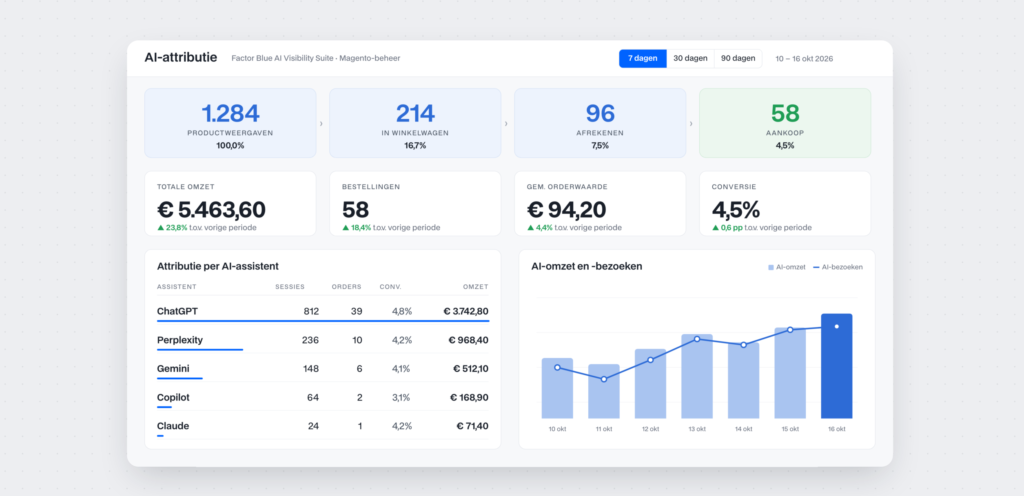
AI agents aren’t recommending your products? Here’s how to boost the visibility of your Magento online store

What it really takes to have a product configurator developed within an organization

Three quotes, three very different prices: what an Magento B2B online store costs


Done with your current agency: here’s how the transition of your Magento management works

The license is free, but the migration isn’t: what “ Hyvä ” means for your Magento online store

A Custom Price for Every Customer: What This Means for Your Magento B2B Online Store


Cloned in just a few hours: the number of AI-generated copies of online stores is growing

Digital Product Passport (DPP): What Does This Mean for Your Product Data and PIM?