- E-commerce, Magento
What it really takes to have a product configurator developed within an organization
The request usually comes in as a visual example. A customer has seen a product running in a browser at a competitor’s site in the correct color and wants the same. The conversation then turns to 3D, WebGL, and, above all, how great it looks.
That is rarely where such a project runs into trouble. The 3D viewer is now standard technology. Where it runs into trouble is the question of which combinations of options you’re actually allowed to sell and where this information comes from.
This article focuses on that aspect: what having a product configurator built requires of your product data and your sales process, which format suits which product, and when it’s better not to pursue it at all.
Why configurator projects get stuck on the option tree
A configurator is a set of rules wrapped in a shell. The shell selects the color; the rules determine whether that color is available for that material and that size. Those rules constitute the bulk of the work in a configurator project.
The scope is almost always underestimated. Five selection steps, each with four options, already result in 1,024 possible combinations. Of those combinations, some are impossible, some can be created but are not in stock, and some are only available with a minimum order quantity. Someone must specify, on a case-by-case basis, which ones these are.
In client meetings, this is how we approach things: the question that determines the process is not which renderer you use, but who within the company owns the rules and whether those rules already exist anywhere other than in the minds of the back-office staff.
What types of product configurators are available, and when to choose which one
There are four types, and they vary greatly in terms of development and maintenance costs. Custom work like this is one of the items that drives up the budget of a web store project the fastest, so choosing between these four is also a budget decision.
The step-by-step configurator allows the customer to select the model, color, material, dimensions, and options in sequence, with each step filtering to show only what is still compatible. No images are used except for an overview at the end. This is the most cost-effective approach and, for many technical products, also the best one.
The visual 2D configurator allows the product image to change in real time based on the user’s selection. This works well for fashion, workwear, printed materials, and packaging. The cost here depends on the number of combinations you need to display, since each visible variant is an image that must come from somewhere.
The 3D configurator rotates the product in the browser, with materials and textures that update in real time. This is the most expensive option—usually several times the cost of the step-by-step version—and it only makes sense for products where the customer wants to assess the visual appeal: furniture, kitchens, and premium products.
CPQ is the fourth element and is often overlooked. The customer puts together a configuration, receives a price estimate, and the complete specification is sent to the sales department as a request for a quote. For complex B2B products that are currently sold over the phone or through the field sales team, this approach yields the best results.
Why Your Product Data Determines Whether a Configurator Works
A configurator displays the product data you enter. If the materials are entered into a free-text field instead of a fixed list, the configurator cannot process them. If the price is missing for one-third of the variants, the amount will also be missing for one-third of the configurations.
The underlying question is where the truth lies. Do the options come from your ERP, from a PIM, or from the online store itself, and what happens if they differ from one another? That same issue also determines whether your inventory and prices match between the ERP and the online store, and a configurator highlights any inconsistency the moment a customer encounters it.
This cleanup process often constitutes the bulk of the work. Therefore, assume that defining the option tree and cleaning up the associated attributes is a separate phase with its own owner within your organization.
The good news is that this investment isn’t limited to the configurator. Structured product data with fixed attributes and valid combinations is also what you need for your filters, your search function, your feeds to comparison sites, and your discoverability in AI search engines.
When 3D pays off and when a photo is enough
3D pays off when the customer needs to make a judgment that cannot be made based on a photo. How oak veneer looks in raking light, whether a sofa with those legs is proportionate, or how a kitchen looks from the doorway. For furniture, kitchens, and premium products, this is a real barrier to purchase.
This is rarely the case with a technical product that has compatibility rules. Anyone configuring a pump, a window frame, or a cable tray wants to know whether the combination is permissible and how much it costs. A clear overview with the selected specifications does this job better than a rotating model.
There is also an aspect that often only becomes apparent later on. 3D models must be provided by you or created by a specialized agency, and that is a separate process from the development of the configurator.
And 3D models take time to load and thus impact performance. Optimized model files in GLB or glTF and lazy loading keep this manageable, but a configurator page remains heavier than a regular product page. For example, you can choose to load and display the 3D model only when a button is clicked.
How a configurator impacts your quote process
In B2B, the profit rarely comes from the online store order itself. It comes from the quotation process that precedes it. A configurator that culminates in a quote request provides your sales department with a complete specification rather than an email asking whether this is also available in RAL 7016.
This changes two things. Typing errors disappear, and with them, the mistakes that arise from retyping. And the request is received in a format that fits directly into a quote, shortening the turnaround time from request to quote.
Pricing logic is the sensitive issue here. In B2B, not every customer pays the same, so the configurator must display the price specific to the logged-in customer, including volume discounts and contractual agreements. This is the same requirement that customer-specific pricing places on a B2B online store, now applied to a customized product rather than a product SKU.
And there’s a choice to be made that goes beyond the technical aspects: do you display prices to everyone, only after logging in, or not at all? That’s a business decision best made in advance rather than during development.
When it’s better not to have a product configurator built
There are situations where this costs money and yields nothing. If you only have a handful of variants, they belong in standard product variants and not in a configurator. Three colors and two sizes equal six products, so that’s not a configuration tree.
If your product rules aren’t defined anywhere, a configurator is the wrong first project. If the back-office staff has to assess on a case-by-case basis whether something is possible, a configurator doesn’t buy you a solution—it buys you a deadline for a discussion you still have to have.
If your product range is constantly changing, you’ll have a maintenance burden that you must be willing to accept. Every new option, every discontinued combination, and every price change must be updated somewhere, and if that’s done manually, the configurator will fall behind reality within a year.
And if you sell products that customers still want to discuss over the phone because they require advice, a well-designed quote form with the right questions is often sufficient. It costs a fraction of the price and provides your sales department with the same information.
How to Set Up a Configurator Process Without Getting Stuck
Start with a single product line instead of the entire product range. This makes the biggest difference because you’ll have something live within a few months that you can learn from, rather than spending a year establishing rules for products that no one will ever configure.
Document the option tree before anything is built, in a document that the back-office staff can review. Features, values, which combinations are allowed, which are not, and what happens in the case of a combination that is allowed but takes a long time to deliver.
Do options and prices come from the ERP or from the online store? How often do they synchronize, and which system takes precedence in the event of a discrepancy? This is the same question that applies to any other integration, and it belongs within the scope of the project, not in post-implementation support.
Also ask what happens to the deliverables if the collaboration ends. With us, you receive the full source code with no licensing fees, and the option trees, pricing logic, and 3D models remain yours. If you build on a plugin with per-user licensing fees, that’s a recurring expense you’ll need to factor in.
And stick to the requirements as soon as development begins. Of all the reasons why these projects fail, a scope that keeps shifting along the way is the most troublesome because no one identifies it as a problem until the schedule runs over.
How much does it cost to have a product configurator developed?
A step-by-step configurator with a clear option tree costs approximately 8,000 to 12,000 euros. A visual 2D configurator costs more than that, depending on the number of combinations that need to be displayed. The final price will only be determined following a scoping analysis after the initial consultation, as the number of rules in the option tree determines the development time.
How much does a 3D product configurator cost?
A 3D configurator with WebGL rendering and AR functionality costs 10,000 to 40,000 euros or more. The difference lies in the complexity of the 3D models and the option trees. The 3D models themselves are not included; you either supply them or have them created by a specialized company.
Do I need to provide 3D models myself?
Yes, the 3D models come from you or from a specialized modeling agency. Common formats are GLTF, OBJ, and FBX. Factor Blue advises on the requirements the models must meet and can help you find a supplier, but modeling is a separate discipline and a separate process.
Does a product configurator work on Magento?
Yes. A configurator at Magento works in conjunction with the existing catalog, calculates the price in real time, and adds the configuration with all specifications to the shopping cart. For 3D, WebGL with Three.js is typically used, with optimized model files to keep load times manageable.
Can a configurator display customer-specific prices?
Yes, either through the pricing logic at Magento or via a connection to your ERP. The configurator then displays the price corresponding to the logged-in customer group, including volume discounts. For quotation processes where the price must not be visible, the configurator concludes with a request for a quotation that includes the full specification.
What is the difference between a product configurator and CPQ?
A product configurator allows the customer to assemble a product; CPQ adds price calculation and quoting to that process. In practice, CPQ is the approach you want when sales are handled by the inside or outside sales teams, because in that case the outcome is a quote request rather than an order.
Can a configurator integrate with my ERP?
Yes, using the standard integration methods you also use for the rest of your online store. The substantive question is more important than the technical details: which data comes from the ERP, which from the online store, and which system takes precedence if the two provide conflicting information. Define this before development begins.
Who owns the code for the configurator?
You receive the complete source code, documented and transferable, with no licensing fees and no dependency on your developer. For generic components such as a step-by-step guide or a 3D viewer without product-specific logic, co-investment is possible, whereby your option trees, pricing logic, and 3D models remain exclusively yours.
Will a 3D configurator slow down my online store?
A configurator page is heavier than a regular product page, even with optimized model files in GLB or glTF and lazy loading. That extra load time occurs on the configurator page and not on your category and product pages. So, place a 3D configurator on its own page rather than in a template used by your entire catalog.
When is a product configurator not worth the effort?
For a handful of variants, since standard product variants are sufficient in such cases. This applies even when the rules aren’t documented anywhere and are assessed on a case-by-case basis by the back office, or when your product range changes so frequently that updating the option tree remains a manual task. In those cases, a well-designed quote form with the right questions achieves virtually the same result for a fraction of the cost.
Related articles
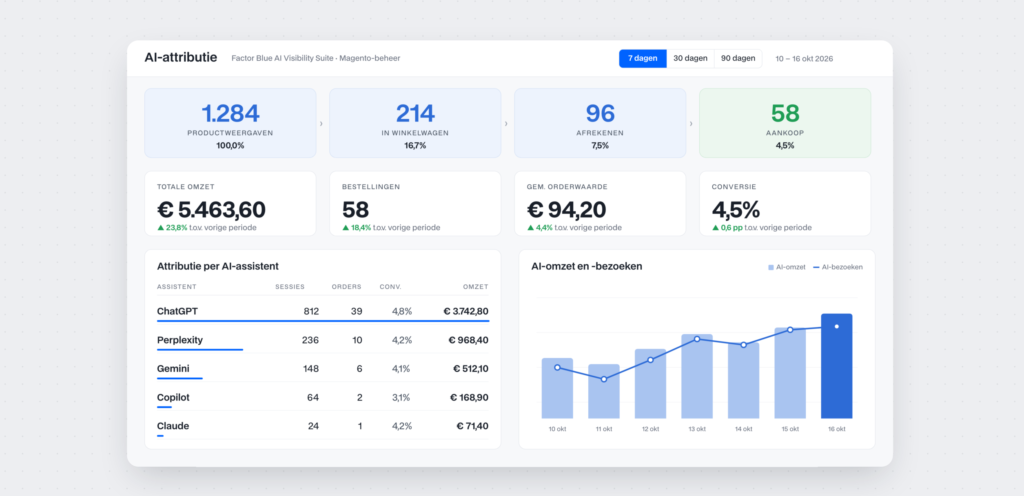
AI agents aren’t recommending your products? Here’s how to boost the visibility of your Magento online store

Worried that an update might break your Magento shop? Here’s how to safely update Magento extensions

Three quotes, three very different prices: what an Magento B2B online store costs


Done with your current agency: here’s how the transition of your Magento management works

The license is free, but the migration isn’t: what “ Hyvä ” means for your Magento online store

A Custom Price for Every Customer: What This Means for Your Magento B2B Online Store


Cloned in just a few hours: the number of AI-generated copies of online stores is growing

Digital Product Passport (DPP): What Does This Mean for Your Product Data and PIM?